E-Signatures vs Wet Signatures: Legal Validity in 2026
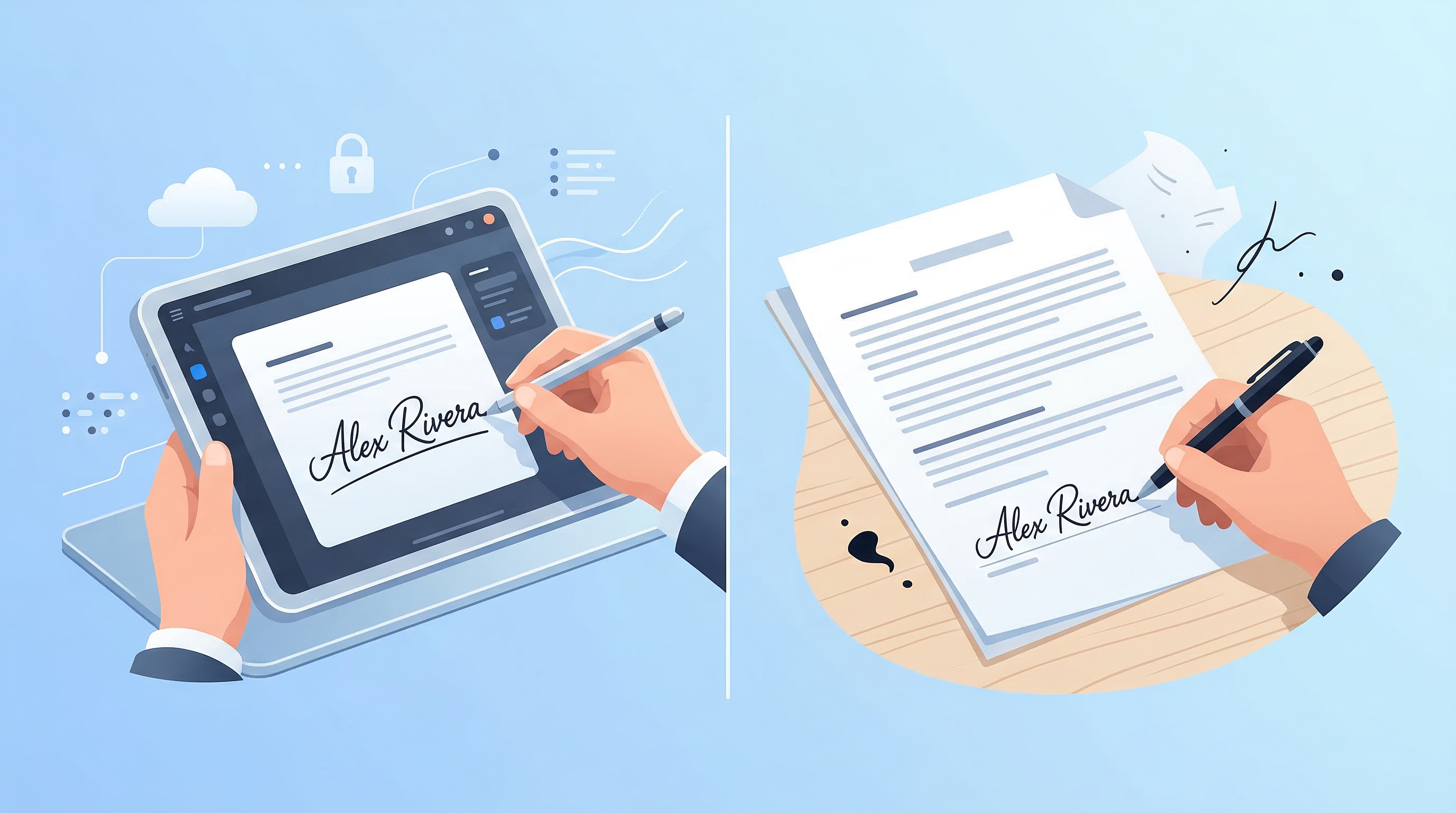
You need to sign a contract. It's sitting in your email as a PDF. Do you print it, sign with a pen, scan it back, and email it? Or do you sign it digitally right now and be done with it?
The answer, in most cases, is to sign it digitally. But the "in most cases" matters — and understanding the legal framework behind electronic signatures will save you from making costly mistakes.
What Is a Wet Signature?
A wet signature is a handwritten signature applied directly to a physical document using ink. The term "wet" refers to the wet ink that dries after signing. For centuries, wet signatures were the only legally recognized form of agreement.
What Is an Electronic Signature?
An electronic signature (e-signature) is any electronic process that expresses a person's agreement to a document. This includes:
- Drawing your signature with a finger or stylus on a touchscreen
- Typing your name in a signature field
- Clicking an "I agree" button
- A scanned image of your handwritten signature
Electronic signatures are distinct from digital signatures, which use cryptographic keys to verify identity. Digital signatures are a more technically secure subset of e-signatures, often used in regulated industries.
The Legal Framework: What Makes an E-Signature Valid?
United States
In the US, two laws established the legal foundation for e-signatures:
- ESIGN Act (2000) — Federal law establishing that electronic signatures on contracts in interstate commerce are legally valid.
- UETA (Uniform Electronic Transactions Act) — Adopted by 47 states, providing the same recognition at the state level.
For an e-signature to be legally enforceable, it must meet these criteria:
- Intent to sign — The signer clearly meant to sign the document.
- Consent — All parties agreed to conduct the transaction electronically.
- Association — The signature is logically linked to the signed document.
- Record retention — A copy of the signed document can be reproduced on demand.
European Union
The EU's eIDAS Regulation governs e-signatures across member states. It recognizes three tiers:
- Simple Electronic Signature (SES) — Basic e-signatures, valid for most everyday contracts.
- Advanced Electronic Signature (AdES) — Linked to the signer's identity, detects tampering.
- Qualified Electronic Signature (QES) — The highest tier, equivalent to a wet signature for all EU legal purposes.
Other Jurisdictions
The UK, Canada, Australia, and most of Asia-Pacific have equivalent legislation recognizing e-signatures for commercial transactions. Always verify local law for high-stakes agreements in new jurisdictions.
E-Signatures vs Wet Signatures: Key Differences
| Factor | E-Signature | Wet Signature | |---|---|---| | Speed | Seconds | Minutes to days (printing/mailing) | | Cost | Near-zero | Paper, ink, postage | | Legal validity | Equal in most jurisdictions | Universal recognition | | Tamper evidence | Digitally logged | Physically visible | | Audit trail | Timestamp, IP, device logged | None | | Remote signing | Yes | Requires physical presence or mail |
When E-Signatures Cannot Be Used
Despite broad legal recognition, some document types still require wet signatures or notarization in many jurisdictions:
- Wills and testamentary documents
- Adoption and family court orders
- Real estate transfers (varies by state/country)
- Court orders
- Documents requiring notarization (in jurisdictions that haven't enabled e-notarization)
When in doubt, consult a lawyer for documents with significant legal consequences.
Best Practices for Legally Sound E-Signatures
1. Use a platform with an audit trail. Your e-signature is only as strong as the evidence supporting it. A good app logs the time, date, IP address, and device used for each signature.
2. Get explicit consent. Before sending a document for e-signing, confirm the other party agrees to electronic signatures. Most professional platforms handle this automatically.
3. Keep signed copies securely. Store all signed documents in a secure location — cloud-synced storage is ideal. PDF Scan Fast's cloud sync ensures your signed documents are always accessible and backed up.
4. Don't use a scanned image of your signature as a substitute for a real e-signature. A JPEG of your signature pasted into a Word document is not an e-signature — it's a forgeable image with no audit trail.
5. Choose the right signature tier for the document. Everyday NDAs and service agreements work fine with simple e-signatures. High-value contracts may warrant advanced or qualified signatures depending on jurisdiction.
How to Sign a PDF Electronically in 2026
The workflow is simpler than most people expect:
- Open the PDF in a signing app — PDF Scan Fast lets you sign any document directly on your phone or tablet.
- Draw your signature using a finger or stylus, or type it.
- Choose your ink color (black, blue, red, or green for different document types).
- Place the signature in the correct field.
- Save and share the signed document directly from the app.
The entire process takes under 60 seconds for a single-signature document.
The Bottom Line
E-signatures are legally valid for the vast majority of documents you'll encounter in business and personal life. They're faster, cheaper, and generate a better evidence trail than wet signatures for most use cases.
The remaining exceptions are narrow and well-defined. Knowing where those lines are drawn lets you confidently go digital everywhere else.
Ready to start signing documents electronically? Download PDF Scan Fast and sign your first document in seconds — no printing, no scanning, no waiting.
Try PDF Scan Fast Free
Scan, sign, and organize your documents in seconds. Available on iOS and Android.
Related Articles
How to Scan Documents with Your Phone in 2026
Learn the fastest ways to scan any document with your iPhone or Android in 2026. No flatbed scanner needed — just your phone camera.
Read article
Top 10 Tips to Organize Digital Documents Like a Pro
Stop losing files. These 10 practical tips help you organize your digital documents for instant retrieval — at work or at home.
Read article